Project-aware AI Chat
Ask about the current codebase and get answers with relevant source files.
CodePilot AI
Local AI Coding Assistant
CodePilot AI v1.0
VS Code extension · Local AI · RAG
CodePilot AI combines local LLMs, project-aware RAG, VS Code diagnostics and safe fix previews into one coding assistant built directly inside your editor.
script.js
function greet(name) {
if (name) {
console.log("Hello " + name);
}
}
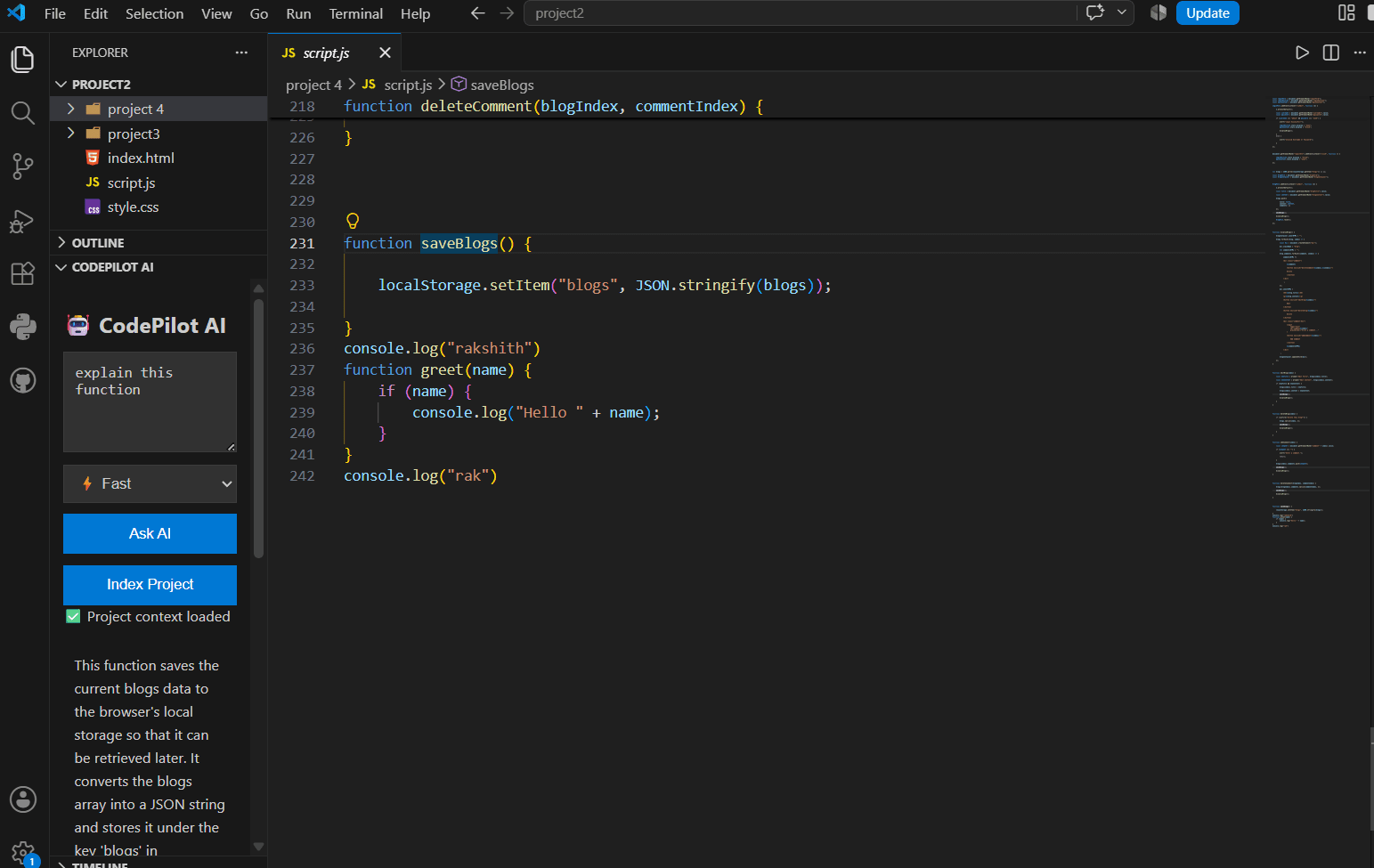
Project-aware answer
The greet function in script.js checks whether a name exists and prints a greeting to the console.
See it in action
Project-aware answers, source navigation and safe fix previews are all available directly from the editor.
Project-aware AI Chat
Ask about the current codebase and get answers with relevant source files.
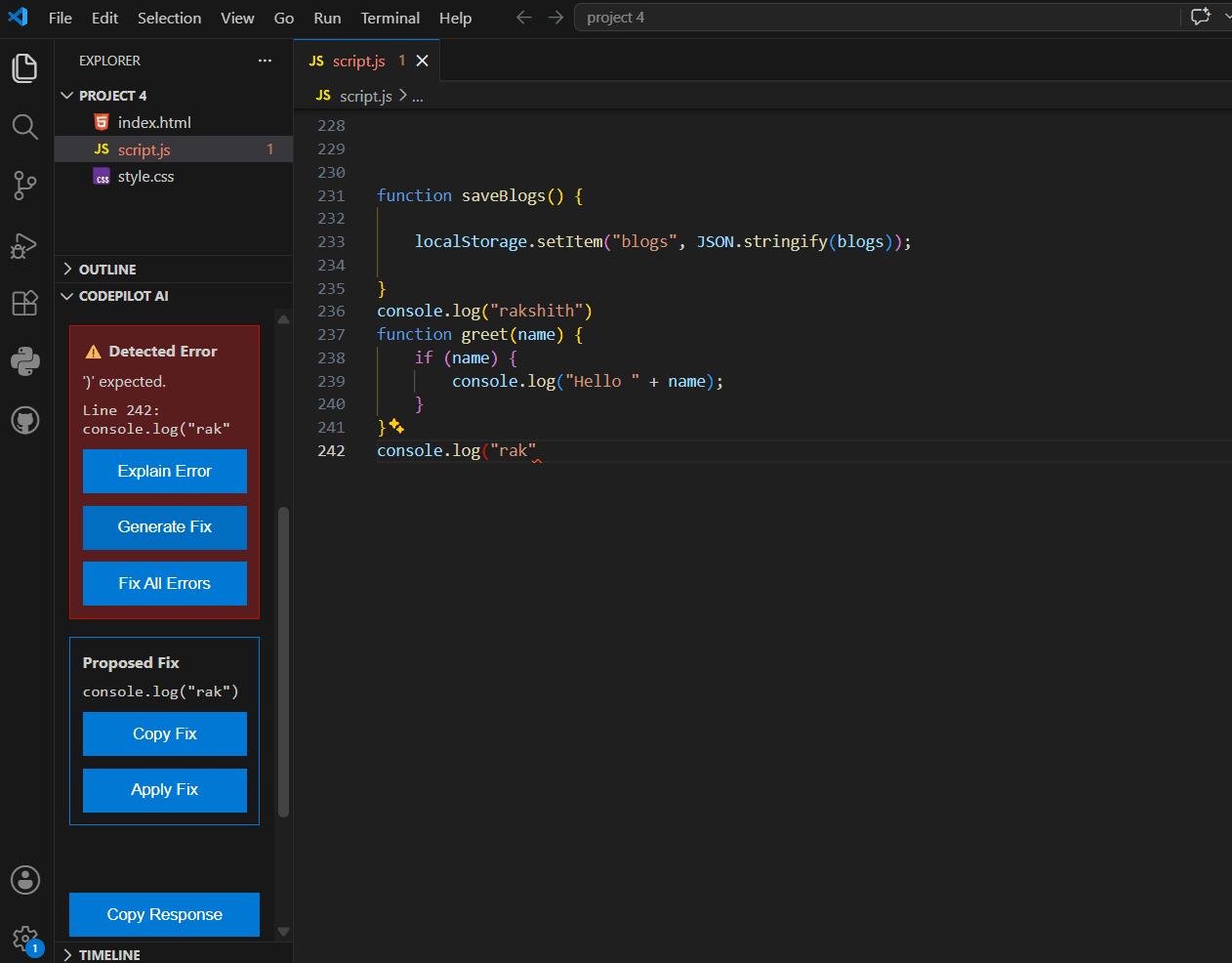
Error Detection & Safe Fixes
Review generated fixes before applying changes to your source code.
Core features
Ask questions about your codebase and get answers grounded in relevant project files.
Preview generated fixes before applying them, with safeguards against stale or unsafe edits.
Runs with Ollama and local models, keeping the workflow independent of paid cloud APIs.
How it works
CodePilot combines editor context, project retrieval and local inference before showing the result inside VS Code.
VS Code detects context and diagnostics
CodePilot retrieves relevant project files
Local Ollama model generates an answer or fix
You review the response before applying changes
Privacy-first workflow
CodePilot is designed around local Ollama inference. Project context, diagnostics and code snippets are sent to the locally running model instead of a paid cloud AI API in the current setup.
Local inference
Qwen runs through Ollama on your machine.
Local embeddings
Project retrieval uses local embeddings for RAG.
Architecture
VS Code Context
Active file, cursor, function and diagnostics
RAG Retrieval
Relevant project chunks and source files
Local Ollama
Qwen generates the answer or proposed fix
CodePilot UI
Response, sources and safe apply controls
Installation
CodePilot currently runs with Ollama locally and installs into VS Code through the packaged VSIX release.
Install Ollama
Install Ollama on your system and make sure the local service is running.
Pull the local models
ollama pull qwen3:4b
ollama pull nomic-embed-text
Install the VSIX
Download the latest release, then in VS Code choose Extensions → More Actions → Install from VSIX.
Open CodePilot AI
Reload VS Code, open the Explorer sidebar and start using CodePilot with your project.
Ready to try it?
Download the latest VSIX release from GitHub, install it in VS Code, and run it with your local Ollama setup.